Wave planning
Split orders by order, zone or by line, unit, weight, volume or time limits; use multi-order carts.
Speed only matters when it is controlled. Depologi splits orders into waves, assigns tasks to handhelds, verifies loading by scanning and writes the dispatch note to Mikro V17 with the picked and loaded quantities. Who finished which package, and how fast, is all in the reports.
Wave planning · Team loading · 13 performance reports · 15–45 ms per scan on 3,000 lines
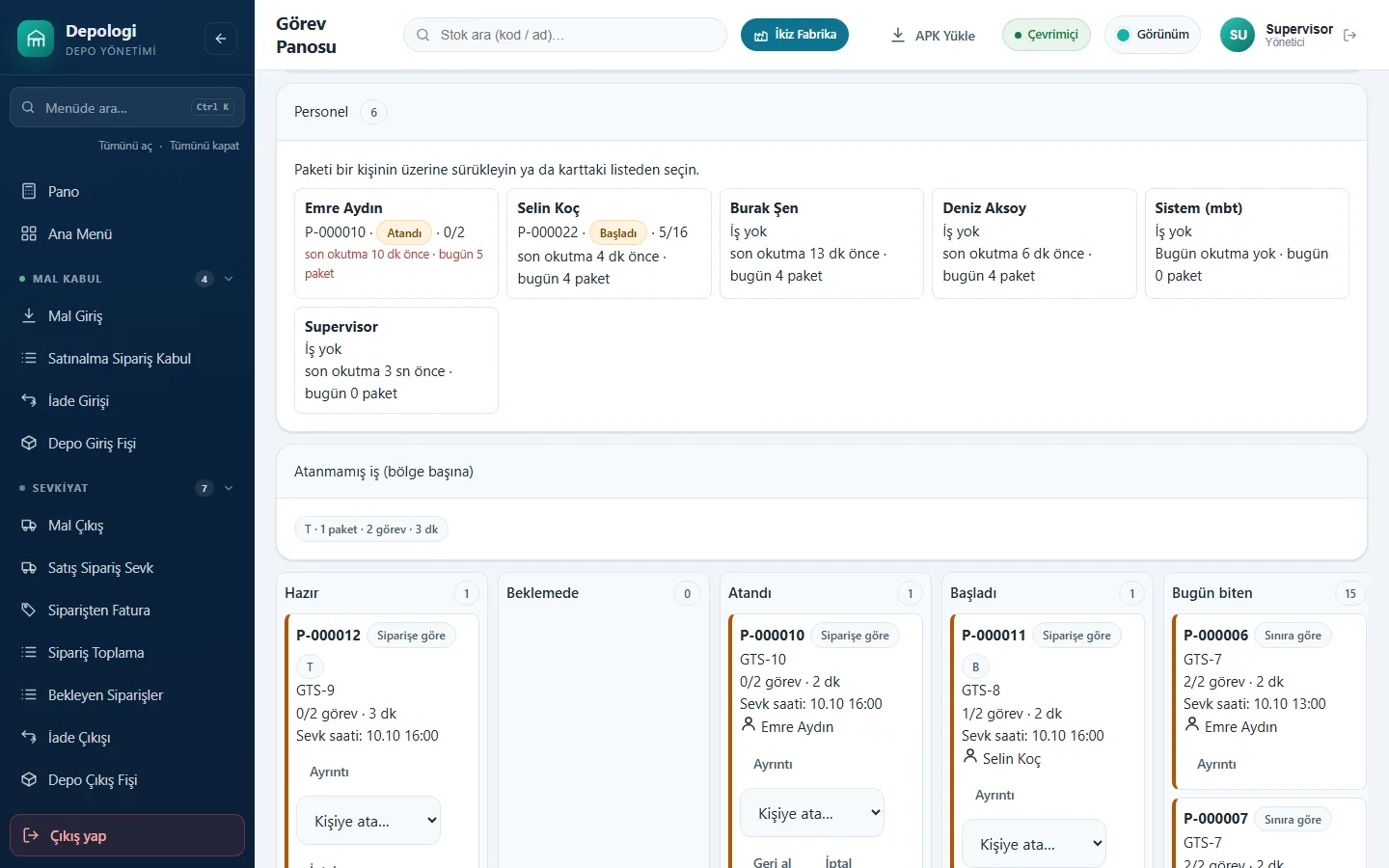
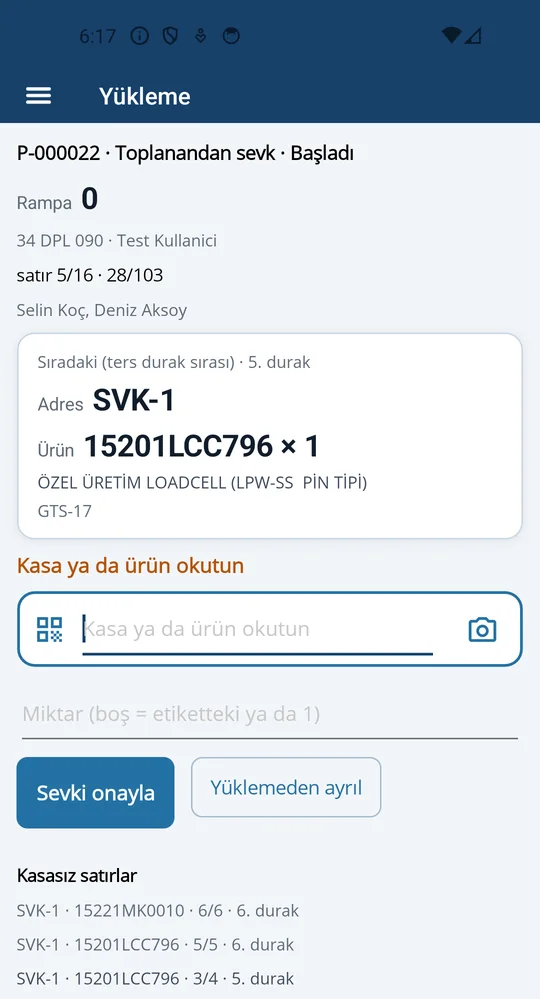
Split orders by order, zone or by line, unit, weight, volume or time limits; use multi-order carts.
Released waves are reserved with FIFO; the same stock is never given to two people and two handhelds cannot take the same package.
Whoever scans a crate first loads it. The dispatch note is written with picked and loaded quantities; missing crates don't ship.
Who is doing what, the last scan and which package is late, on one screen.
Branch transfers are tracked in a transit warehouse; shortages stay in transit with a reason.
13 reports including live floor, scorecard, team, shift, zone and hourly; Excel and PDF. Staff see only their own scorecard.
Open orders are grouped into waves by rule and released.
"Next task" on the handheld: scan bin → item → quantity → crate.
Crates are scanned onto the vehicle; in a team, the first scanner loads.
The sales order shipment dispatch note is created in Mikro V17 with picked and loaded quantities.
Documents are in Mikro the moment they are saved: no overnight sync, Excel or staging tables.
Related:
No. Task-based picking, shipping and performance are included in Professional and Enterprise. Bin-sequenced picking requires Dynamic Warehouse (Enterprise).
According to the vendor's measurement, a scan takes 15–45 ms on a 3,000-line order.
The Field Operations module includes route planning and driver proof of delivery (signature, photo, location, PDF).
With the Supplier Portal, suppliers book dock slots and send advance shipping notices (ASN); scanning the ASN fills the receiving screen.
In a screen-share call we scan a document on the handheld and open it together in Mikro V17. No sales pressure: we work out the right package with you.
The Depologi team will get back to you shortly. Want to start now? Begin the 7-day free trial.