Bulk address generation
Create hundreds of bin addresses at once with an aisle × block × level layout; zone and level are part of the address.
The Depologi Dynamic Warehouse module manages aisle, block, level and zone addresses for companies running Mikro V17. Received goods are scanned into a bin; pick lists point to the bin holding the oldest stock. Bin movements live in Depologi's own address ledger, while stock documents are written to Mikro.
Enterprise add-on · Bulk addresses: aisle × block × level · 3D view · no CAD · Bin mandatory on issue
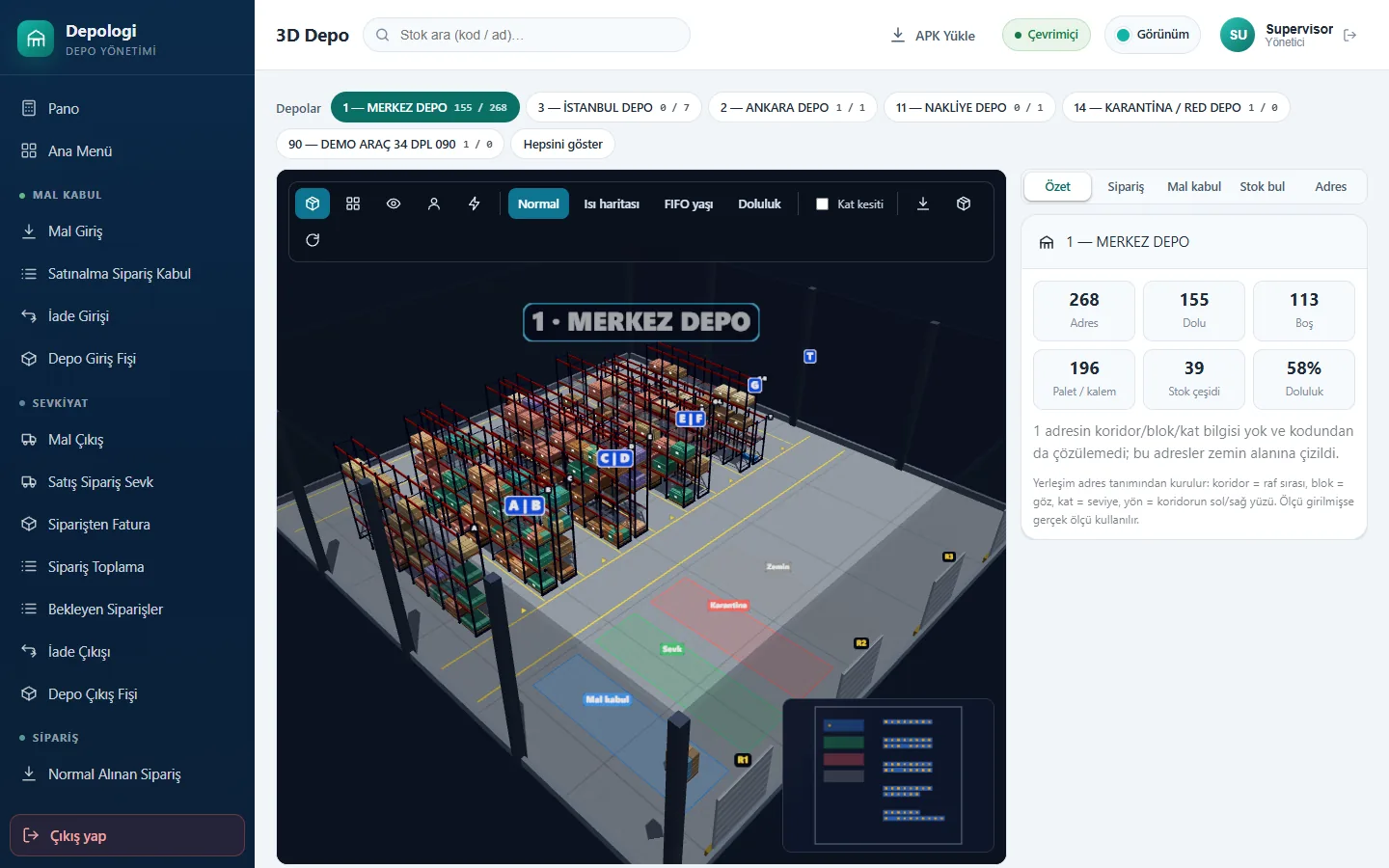
Create hundreds of bin addresses at once with an aisle × block × level layout; zone and level are part of the address.
Received items are placed into the scanned bin. Put-away suggestions show the five highest-scoring bins.
See which bins hold an item and how much, in FIFO order; list an order's lines bin by bin.
Move stock between bins from the handheld; each bin's fill percentage is tracked. Bins can be restricted to a lot.
Racks, pallets and routes in 3D in the browser. Routes are computed two ways (S-shape; nearest neighbour + 2-opt) and the shorter wins.
The last 90 days of movement as a heat map; forklift routes replay at 1×, 4× and 10×, with FIFO age and level slices.
Enter the layout as aisles, blocks and levels; print labels from the drag-and-drop designer.
Receipts are written to Mikro as dispatch notes, then items are scanned into bins.
Pickers scan bin → item → quantity; the source bin follows FIFO.
Count sheets are split across bins and handhelds; stock changes only after the variance report is finalised.
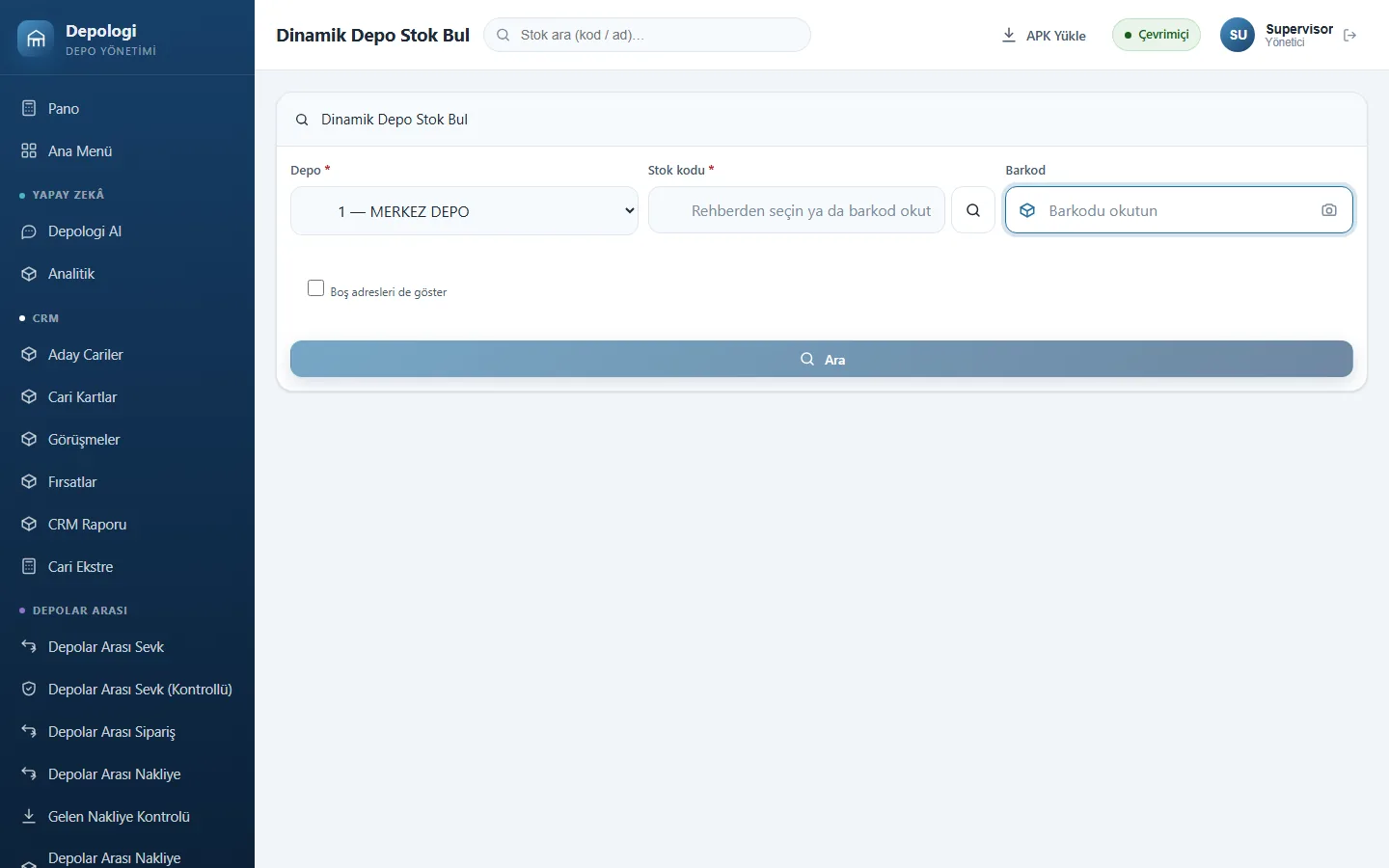
Documents are in Mikro the moment they are saved: no overnight sync, Excel or staging tables.
No. Bin movements are kept in Depologi's own address ledger. Stock documents (dispatch notes, slips, counts) are written to Mikro V17.
No. The 3D view is generated from the address definitions and runs read-only on the web.
Dynamic Warehouse is an add-on available only for the Enterprise package. Bin-sequenced picking also requires it.
The source bin follows FIFO (oldest stock first); the address query is also listed in FIFO order.
In a screen-share call we scan a document on the handheld and open it together in Mikro V17. No sales pressure: we work out the right package with you.
The Depologi team will get back to you shortly. Want to start now? Begin the 7-day free trial.